
Leaving Microsoft 365 without drama: the honest migration playbook
Why I am the one writing this
I have spent my entire career in and around Microsoft environments. For more than twenty years I have built, secured and audited them. This paper is not an attack on Microsoft 365. It is a good product, and for many organisations it is the right one. I am writing it because I kept running into the same situation: an organisation that wanted control over its own digital workplace, was convinced that leaving would be dramatic, and had nobody to tell it honestly what the move actually looks like.
This is that document. No ideology, no sales pitch. A playbook built from real moves, including the ones that went well and the moments that hurt.
Four words that started it
A customer once summed up their exit plan in four words: “A fallback, not a migration.”
The organisation was a large Flemish institution that had explored European alternatives on its own and got stuck. Not on the technology, but on how to make a move real inside an organisation with its own history, habits and constraints. So the plan we sketched together was the opposite of a leap. A small environment in their own server room, next to the Microsoft environment. Their existing logins left untouched. A limited group of users working in parallel on both platforms, with everything still available on either side. And built so that, if they ever need to move fast, the fallback can sprint to a European cloud in weeks rather than years. They may never switch completely. That is fine. They wanted insurance that can sprint, and now they have the architecture for it.
That conversation contains the whole playbook. The drama in a migration almost never comes from the technology. It comes from treating the move as a leap instead of a walk.
The premise
Every product has to pass two tests, not one. It has to be good at its job, and it has to be possible to leave. If you have read our first white paper, The Sovereignty Check, you have already run the second test: you ordered the export before you needed it, and you know what the way out looks like. This paper is for the organisations that looked at that door and decided to walk through it. Slowly.
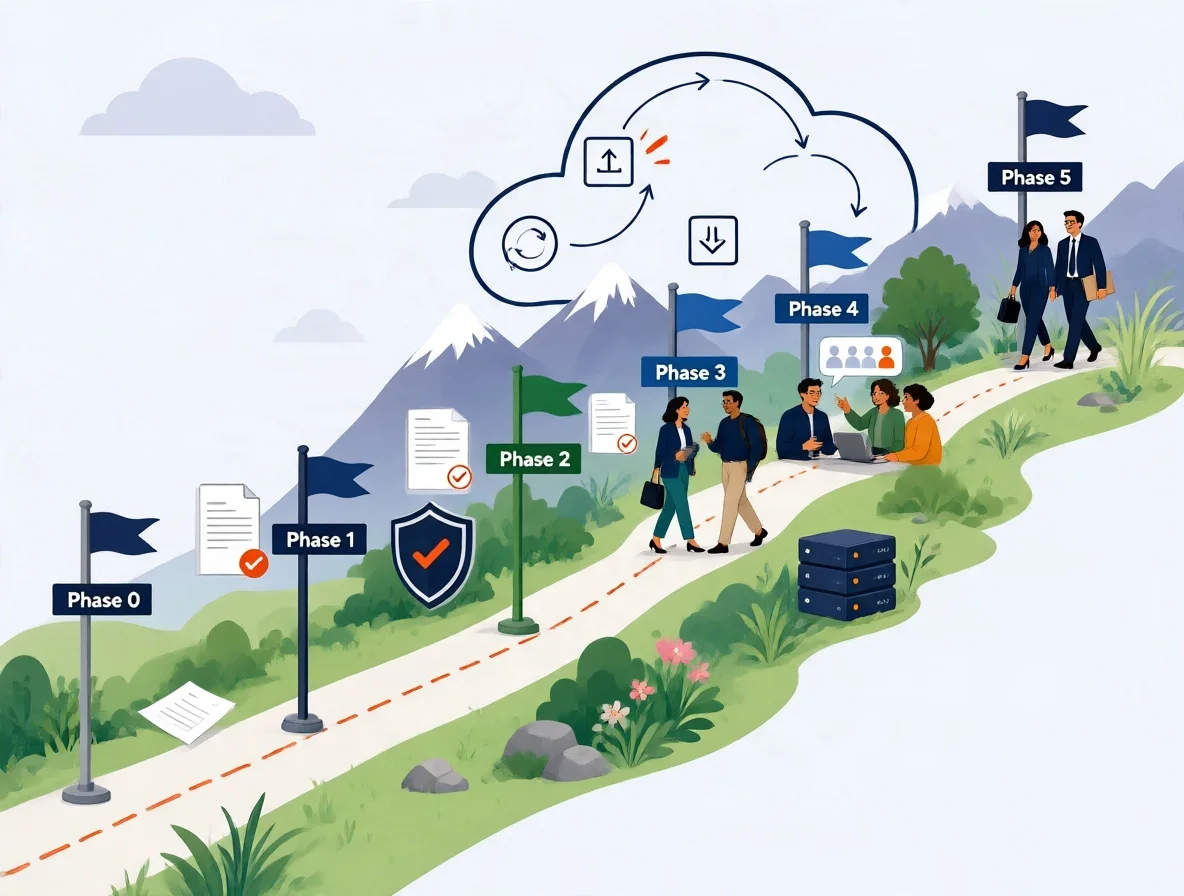
The paper has three parts. First, two questions that shape the move before anything starts: where are you coming from, and what actually needs to move? Then six phases, Phase 0 to Phase 5, that walk you through the migration, each step small enough to stay boring. Finally, the honest context: the order you migrate in, the office suite question, what actually breaks, what it costs and how long it takes.
First question: where are you coming from?
The playbook is written for Microsoft 365, because it is the most common starting point and the most instructive one, but it applies to any cloud suite. The first thing to establish is what you are actually leaving, because your starting point shapes everything: the size of the move, the cost of running both platforms in parallel, and the order in which you should migrate.
If you run Google Workspace, your migration is usually the smaller one: files, mail, calendars and a set of collaboration habits, with comparatively few deep technical hooks into the rest of your environment. If you run Microsoft 365 Business Premium, E3 or E5, you are not just renting mail and files. You are renting a security and management stack: endpoint security, identity, device management and compliance tooling. That stack is a large part of the licence invoice, and it changes what a smart migration does first, as you will see below.
So before you start the phases, write down two things. The map from Phase 1 records what you use. The licence list records what you pay for. Both matter, and the second matters most to the person who signs the invoices.
Second question: what actually needs to move?
This is where most playbooks go quiet. So let us say it plainly: the migration does not have to cover the entire business.
Start with a classification, and be prepared for what it shows. In most organisations the truly critical and private slice is small: personnel files, board documents, customer contracts, financial records. That slice deserves a sovereign home. The everyday bulk, the folders everyone shares and nobody would ever subpoena, can stay where it lives today: on SharePoint, Google Drive or the on-premises file server.
That is not a loophole. It is the risk-based approach of the Vlaamse Cloudstrategie (the Flemish cloud strategy): look at the data, look at the risk, and place the data accordingly. Moving only what needs to move is not half a migration. It is the right migration.
The classification costs one honest afternoon per department. Sit down with each team and ask three questions. Which of your files would hurt if a foreign court could compel their disclosure? Which applications process that data? Where does it live today? The answers go into the Phase 1 map as a sensitivity column: everyday, sensitive, critical.
The fallback model from the start of this paper fits this kind of migration perfectly. The critical slice gets the sovereign environment, next to the old one. The rest keeps working where it always has. If the moment ever comes to move more, the ability to sprint is already in place.
One condition, and it is not negotiable: write the classification down. Partial sovereignty that is chosen on purpose and written down is a legitimate destination. Partial sovereignty that happened by accident is just an unfinished migration.
Phase 0: decide whether to move at all
Start with honesty. If your tools work, your data is placed deliberately and you know the trade-offs you are making, staying is a legitimate choice. Sovereignty includes the right to stay put.
The good reason to move is that you want control you can actually exercise: over where your data lives, which law it falls under, and what happens when the owner of your platform changes. The bad reason is fear picked up from a headline. Headlines are occasionally right, which is exactly why you should act on evidence, not on adrenaline.
So Phase 0 is a decision, made calmly and on paper: what do we want control over that we do not have today? If the answer is “nothing”, stop reading here and renew your licence with a clear conscience. If the answer is a list, read on. That list starts with the classification from the second question.
Phase 1: map what you actually use
Before you touch anything, watch your own organisation for two weeks. Which files are opened? Which features are really used? Which tools does the finance team live in, and which ones exist only because a licence happened to include them?
Every migration carries a backpack of habits nobody needs. The licence invoice counted everything, including the things nobody has opened since 2023. Your two weeks of watching count what matters. The migration almost always turns out smaller than the invoice suggested. That is your first saving, before you have moved a single file.
Write down what you find. One page is enough: where the files live, how mail flows, which applications are woven into the work. The rest of the playbook builds on this map. Add the sensitivity column from the classification: everyday, sensitive, critical. The map then tells you not only what you use, but also where each piece belongs.
Phase 2: build the fallback, in parallel
Set up the new environment next to the old one. Not instead of it. Move nothing yet.
This is also when you install the office suite you have chosen and open your own documents in it. The office suite section below explains why that choice is easier than it sounds.
Get the accounts working. Sign in from every device the organisation owns, including the awkward ones: the warehouse manager’s old laptop, the tablet someone uses for time registration, the phone that refuses to update. This phase takes a few evenings, and it removes the whole “what if it breaks” question from the rest of the plan, because at this stage nothing can break. The old world is untouched and the new world is empty.
Phase 3: move the boring stuff first
Files before mail. Mail before calendars. Shared folders before personal quirks.
The boring files are your archive: old documents, finished projects, the folder nobody opens. They are also your confidence builders. Once they sit in the new cloud, open properly and show up correctly in search, the emotional risk of everything that follows drops to zero.
One warning, learned the hard way: check what travels with your files. When I left a large American ecosystem, my photo export arrived without its metadata: hundreds of family pictures with no dates at all. At home, that costs you an afternoon of sorting. In a company, it costs you document dates, authorship and version history, which is worse. So when the archive lands in the new environment, open a handful of old files and check that dates, authors and history have survived. If something was lost, you want to know now, while the old world still holds the originals.
Phase 4: cut over with a way back
Pick a quiet moment. Not the week of the payroll run, not the month of the annual report. Move the last active pieces: the things your two weeks of mapping showed actually matter.
Then freeze the old environment for two weeks. Frozen, not deleted. One rollback that exists is worth ten rollback plans. For those two weeks both worlds exist, the old one unchanged, and everyone in the organisation knows the safety net is real because it is still there.
Phase 5: the week after
The technology was never the risk. The habits were. Somebody will ask where the meeting notes are, and the answer has to come from a person, quickly and without a sigh. Name that person for every team before the cutover. Give the habits a week, and the migration is over. Organisations that skip this phase conclude that the migration failed, when what actually happened is that nobody answered three questions fast enough.
The order you migrate in is a business decision
Every migration runs into a question that is not technical. Somewhere around Phase 2, the CEO looks at the invoices and asks: why am I paying for two clouds at once?
The honest answer: in a parallel-run migration, yes, you pay twice for a while. The playbook answer: keep that window as short as you can and, where possible, make the migration pay for itself. This is where the order of the migration becomes a business decision rather than a technical one.
Security first. If you are on a high Microsoft tier, the fastest financial win is often not the data at all. It is the security stack. European alternatives for endpoint security and XDR exist (we run one in our own stack), and moving that layer first lets you step down your Microsoft licence tier while the rest of the migration continues. Each step down funds the next phase.
Data first. If your reason for moving is jurisdiction, and specifically the CLOUD Act, the data comes first, because the data is what that law reaches. But here is the honest caveat, and it matters: if you move your files while your identity provider and your endpoint security are still under the CLOUD Act, your new setup is less sovereign than it looks. Your data is only as sovereign as the deepest American component you still depend on. A serious sovereignty migration plans for every layer: data, identity and security. The order between them is a choice. Quietly skipping a layer is not.
The ICC exception. Sometimes the big bang chooses you. The International Criminal Court did not get to plan a parallel run: sanctions took its accounts away, and the court moved quickly and in one go because it had to. That case proves that urgency is survivable. It proves nothing else. For everyone without a sanctions letter, the big bang is the expensive, dramatic option, not the brave one.
Department by department. Between one pilot user and one big bang there is a middle path: migrate entire departments as complete units. Their files, their mailboxes and their calendars move together, so each department lands fully on the new platform. Every department that lands reduces the number of old licences, which shortens the period in which you pay twice. It only works with real cooperation from each department. A migration is a joint project, never an IT project that happens to other people.
The office suite question
This is the worry I hear most often, so it gets its own section: we can leave, but what about our documents? Our templates, our letters, the files the rest of the world expects us to open. Surely there is no good alternative to Microsoft Office.
There are more good open-source office suites than most people have ever heard of. Do your homework and look at the comparison lists. Here is mine, in order of my personal preference today. Euro-Office first, because of its European background. OnlyOffice second: a strong product, but its Russian background makes it a tricky candidate in a sovereignty story. Collabora third: pretty good and widely used. And LibreOffice, the default on most Linux distributions: solid, although to me it feels a bit dated, at least the interface. That is my list. The choice is yours.
What matters more than any ranking is that the compatibility worry is a non-issue. Once you start using one of these suites, you will notice that it simply works. They all do. You open documents that come from Microsoft Office, you edit them, you send your own to people who still use Microsoft Office, and it works in both directions without any problem.
So cross the office suite off the worry list, and with it the idea that there is no good alternative. The alternatives are good products, and the compatibility is there.
What actually breaks: the honest list
This is the section nobody writes, so here it is. The office suite was the imagined problem. These are the real ones: the things that cause surprises in real moves, roughly in the order they surprise you.
Identity is the hard part, not the files. People think a migration is about moving documents. It is about sign-ins: the account that unlocks the laptop, the account that opens the mail, the policy that locks the screen after ten minutes. Decide early whether the new world gets its own logins or connects to the ones you already have, and test it on the awkward devices from Phase 2.
Mail has sharp edges. Shared mailboxes, aliases, forwarding rules, and the autocomplete cache in everyone’s Outlook that still suggests the old internal addresses. Then there are the things that send mail to your organisation without anyone thinking about it: scanners, printers, alarm systems, the logistics platform that mails a report at 05:00. List everything that sends mail to your domain, because each of them is a small migration nobody warned you about.
One more property of mail deserves its own paragraph: it migrates as a unit. Mail is delivered to a domain whose mail records point to one provider. Technically you can configure priorities and secondary records, but in practice you cannot run half of the organisation’s mail on one provider and the other half on another. Mail cuts over per group, per department or all at once. What it never does is migrate feature by feature, and any plan that assumes otherwise has a surprise coming.
The invisible integrations. Add-ins in Office, a flow that posts an email into a channel, a line-of-business application with a “Save to SharePoint” button, reports that pull data from a spreadsheet URL. Your two-week map from Phase 1 is where these surface. Each one is small on its own; together they are the real project.
Links age badly. Years of internal emails and documents contain links to files in the old cloud. Some can be redirected, some cannot. Decide in advance what happens when someone clicks a link from 2022, and tell the organisation before the cutover, so that the answer is policy rather than surprise.
We could have kept this section vague and safe. We chose not to, because a playbook that pretends nothing breaks is exactly how organisations end up with drama.
What it costs
The Dutch government team that is building a fully sovereign workplace for the national administration put it plainly: open source does not cost less, it costs differently. That sentence belongs in every budget conversation about this move.
Licence costs go down, in some cases a lot. What you spend instead is effort: setting up the new environment, the migration work itself, and a period in which both worlds run in parallel. Budget for all three, and treat the parallel run as a real cost rather than a rounding error, because Phase 2 is where the calm comes from. The organisation that tries to save on the parallel months ends up buying the drama instead. And remember the licence step-down from the previous section: when the security layer moves first, licence savings already fund part of the parallel run.
Honest timelines
For a team of five to fifteen people with a standard setup, the honest answer is about three weeks of work, mostly in the evenings, with no downtime and a month in which both clouds run side by side. For an organisation of twenty to fifty people, plan for a quarter, half of which is the parallel run. Larger organisations, and those with compliance requirements, will recognise the fallback model from the start of this paper: a pilot environment that proves the concept while the main environment stays untouched, and the ability to sprint if the moment ever comes.
These are honest ballpark figures, not promises. Your map from Phase 1 is what turns a ballpark into a plan.
The one-page checklist
- The exit test ran while we were still happy: export ordered, opened and checked.
- The Phase 0 decision is on paper: what we want control over, and why.
- Two weeks of usage mapped: files, mail, apps and integrations.
- Office suite chosen and tested: real documents open, edit and share in both directions.
- Fallback built in parallel; the awkward devices can sign in.
- Archive moved first; dates, authorship and version history checked on old files.
- Everything that sends us mail is listed: scanners, printers, systems.
- Cutover on a quiet date; old environment frozen, not deleted.
- For every team, a named person answers “where do I find X?” for a week.
What we built for this at Gantara
A playbook without a product behind it is just advice, and advice is cheap. So, honestly: our platform runs on open technology, your files are stored in standard formats, and the export works the way we tell everyone else to test. Our plans include migration help, because the distance between a fallback and a leap is exactly the distance someone walks with you. What we do not promise is that your habits will move in a week. Nobody can promise that, and the day someone does, check their export function.
Sources and further reading
- Gantara, The Sovereignty Check: how to audit any cloud provider in five questions (White Paper 1 in the same series)
- Gantara resources, Migration without drama: the honest playbook (the short version of this paper)
- European Commission, European Tech Sovereignty package, COM(2026) 503, 3 June 2026. Policy page
- Digitaal Vlaanderen, Vlaamse Cloudstrategie, 2026, on reliability and the risk-based approach. Strategy page
- Press coverage of the documented events referenced in The Sovereignty Check: ICC prosecutor’s email suspension (Justice Info), French Senate testimony (Forbes), Dutch tax administration reverses its move to Microsoft 365 (Computable)
- DICTU, Toetsingsinstrument Soevereiniteit Clouddiensten v1.0.1, for procurement-grade criteria. Instrument (PDF)